
PBS KIDS Games review
 Analysis by GetAllApps
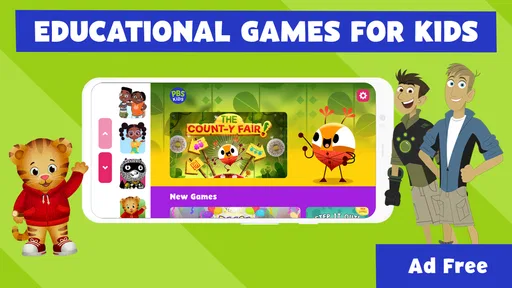
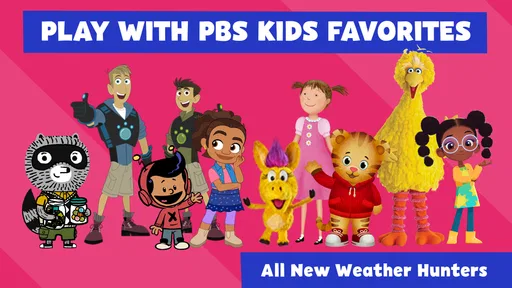
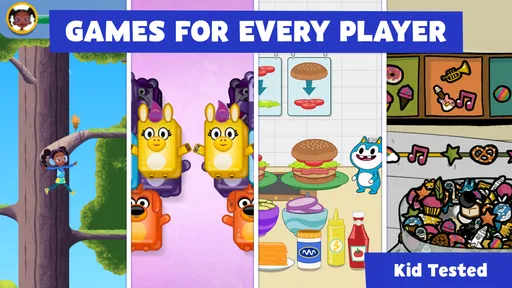
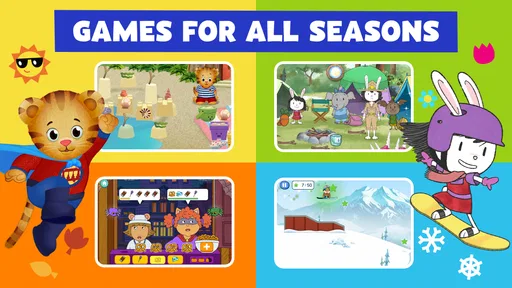
When I want a young child to have a short screen-time activity that feels more like play than a lesson, PBS KIDS Games is an appealing option. It brings familiar characters such as Daniel Tiger and the Wild Kratts into a collection of educational games, so a child can move between different kinds of play rather than sit through one long exercise. My overall impression is that it works best as a parent-approved pick-up-and-play library, not as a structured course or a game built around long-term goals.
Play that feels familiar without turning into a lesson
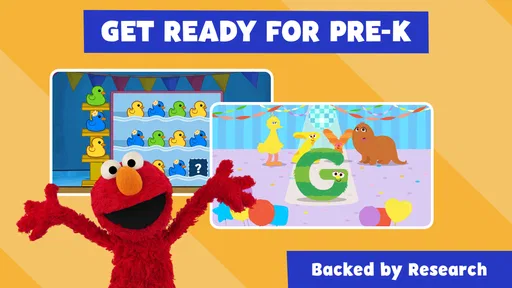
This is an educational game from PBS KIDS, aimed at children and rated Everyone. Its cast is a practical part of the appeal: when a child already recognizes a character, getting started can feel less intimidating than opening an unfamiliar learning app. The activities are presented as games, which can make a little practice feel like a natural part of play instead of an assignment.
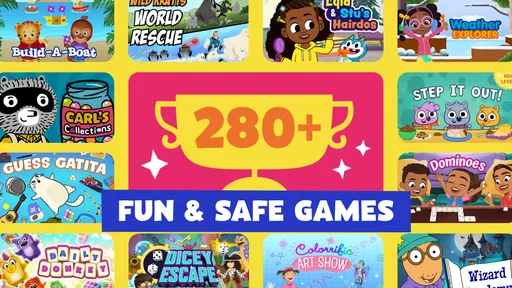
The collection approach is useful for families whose children have different interests. Daniel Tiger may be the draw for one child, while another is more curious about animals and adventure. Rather than choosing a single themed game, I can see the value in having these familiar worlds gathered in one place. That variety also gives a parent a simple way to offer a change of activity when a child has had enough of one kind of play.
Still, this should not be mistaken for a complete learning program. The experience is better suited to short, informal sessions than to teaching a skill in a planned sequence. If you need a curriculum with defined lessons, progress reports, or a clear path from beginner to advanced work, a dedicated learning platform is likely a better match.
The game is free, which makes it easy to try without committing money up front. It has an average rating of 4.3 from around 55,000 ratings, and has been installed over 10 million times. Those figures suggest a widely used app, but they do not tell me whether a particular child will enjoy the activities or whether every game suits every age and attention span.
A useful fit for small, everyday windows
I would reach for it during a brief wait at home, a quiet moment before dinner, or a rainy afternoon when a child wants something to do independently. For example, while I prepare a meal, I could let a child choose a familiar character and play for a short, agreed period, then ask what happened in the game. That simple conversation can turn screen time into a shared moment without pretending the app replaces adult guidance.
A useful parent habit is to explore the available activities before handing over the device. That lets you identify a game that fits the child’s mood and comfort level, rather than asking them to navigate a large collection while already restless. It also helps set expectations: this is a menu of play experiences, not one continuous game in which every activity necessarily connects to the next.
Because the title gathers multiple games, its strength is choice; the trade-off is that choice can also mean uneven appeal. A child may love one activity and ignore another. I would not treat that as a failure or insist that they complete the whole collection. Picking one game that feels right for the moment is a more realistic way to use it.
Progress without a race
The appeal here is not competition or a pressure-filled achievement ladder. I would approach the games as low-stakes opportunities to explore, repeat an activity, and enjoy recognizable characters. That is a welcome contrast with children’s games that rely heavily on streaks, rankings, or constant rewards to keep a player engaged. For a family trying to keep play relaxed, the gentler framing is a meaningful reason to consider it.
At the same time, parents should not assume that a collection of educational games automatically provides measurable progress. The app may be enjoyable and offer learning-oriented play, but I would not use it as proof that a child has mastered a particular concept. If you want to track improvement, keep your own notes or choose a learning tool that explicitly provides the feedback you need.
One practical tip is to let the child revisit a favorite rather than pushing them toward novelty every time. Repetition can be comforting, especially for younger players, and it makes it easier for a parent to notice whether a child is becoming more confident with an activity. The limit is that repeating a favorite can also narrow the experience; if variety matters, invite the child to choose a different character or type of game on another occasion.
Fairness, cost, and what the choice means
As a free game, PBS KIDS Games does not ask for an upfront purchase to get started. That is the clearest spending point I can recommend to families comparing it with paid children’s apps. I would still make the download decision through the app store and check the purchase details shown there before installing, since families may want to review the terms that apply to their own device and account.
From a competitive-fairness perspective, this is not a game I would choose for rankings or head-to-head contests. Its value is in character-led activities and informal learning-oriented play, rather than giving one child an advantage over another through paid equipment or competitive boosts. That makes it easier to use as a shared, casual activity, although I would not assume every activity is multiplayer or designed for siblings to play together.
Families should also separate “free to download” from broader assumptions about spending. I can confirm that the game is free, but I would not infer a particular in-app purchase setup, subscription policy, or account requirement from that alone. Before a child uses any app, I recommend checking the purchase controls and device settings yourself. This is a sensible routine for any children’s game, not a reason to distrust this one.
Its comparison with typical alternatives is fairly clear. A single-character game may offer a more focused experience, while a formal learning app may provide clearer lessons and progress tracking. PBS KIDS Games sits between those choices: it offers a variety of familiar, playful activities, but variety is not the same as a carefully staged course. I would pick it for flexible entertainment with an educational flavor, and pick a more structured product when a specific learning outcome is the priority.
Practical limits before you hand over the device
Children vary in how easily they handle menus, switches between activities, and instructions. I would sit with a younger child for the first session, not because the app should be treated as difficult, but because a few minutes of joint exploration can show which games make sense to them. After that, you can decide whether independent use is appropriate for your child and device.
Another limitation is that character recognition can do a lot of the work in attracting a child, but it cannot guarantee sustained interest. If your child does not care for the featured worlds, the educational angle may not be enough to keep them engaged. In that case, a game built around their own interests—or a non-screen activity—may be the better choice.
The app was released on April 27, 2016, and its current version is 6.14.0. It requires Android 7.0 or later on Android devices. That information is useful when checking compatibility, especially if you are considering installing it on an older tablet reserved for a child. The Everyone age rating is reassuring as a broad content classification, but I would still preview the experience and decide whether the games fit your own child.
My verdict for parents and caregivers
I would recommend PBS KIDS Games to families looking for free, approachable play built around familiar children’s characters. It is particularly well suited to short sessions, children who like choosing between different activities, and parents who want screen time to have a playful educational element without making it feel like homework. PBS KIDS is the developer, and the game’s broad reach is reflected in its user base, but the right fit still depends on the child in front of you.
I would skip it if you need a tightly organized curriculum, detailed learning records, or a single focused game with a clear progression. I would also avoid handing over a device without first checking the activity choices and the settings that matter to your family. Those are normal trade-offs for a varied children’s game, and they are easy to manage if you treat it as one option in a balanced mix of play.
My trust verdict is positive but measured: the free entry point, child-oriented framing, and recognizable PBS KIDS characters make it an easy app to consider, while the collection format means parents should guide the first few sessions and keep expectations realistic. I see it as a handy companion for occasional play, not a substitute for conversation, hands-on activities, or a dedicated learning plan. If that is the role you want it to fill, it is a sensible choice to try.
Pros and cons
Pros
- Offers games based on familiar PBS KIDS characters and shows.
- Activities cover topics such as math reading and science.
- Games are designed for young children to play independently.
- Many games can be played without creating an account.
- New activities are added to keep the selection fresh.
Cons
- The app may require substantial storage space as games are downloaded.
- Some activities need an internet connection to work.
- The interface may feel too simple for older children.
- Game availability can vary by country or device.
- Parents may need to guide children through some activities.


